Do not wear hats, glasses, or use filters, and make sure that the lighting is sufficient.
That is the whole of what Binance prints in red beside this step, on its identity verification help page. Four instructions. What it does not mention is the room you are sitting in, the window behind you, the age of your phone, or the browser you opened the link in, and those can decide this step just as much.
Getting stuck here does not mean you were taken for someone other than the person on the document. That sounds like a contradiction until you look at the order the check works in.
One thing to park before the detail, because it belongs nowhere else on the page. This step is a form, and forms get filled in eventually. The money behind the account is a different matter: all of it can be lost, and no amount of good lighting touches that.
What the recording is judged on
Two questions are being asked, one after the other. First: is there a living person in front of this camera right now. Only after that: does this face match the document. If you fail, do not assume you have been told you look nothing like your passport photo. The check may not have got as far as that question.
How liveness is decided is not published by anyone, Binance included; no help page explained the mechanism when checked in September 2026. What follows is the general principle behind liveness checks rather than a quote from a Binance document. Three kinds of signal tend to be used together: the sequence of prompts, which is generated on the spot so that a pre-recorded clip cannot follow it; depth, because a real face has a nose that is nearer than the cheeks and a flat photo does not; and replay artefacts, the moiré pattern, banding and colour cast that a screen leaves behind when it is filmed.
There is a second way to fail that has nothing to do with any of that: the recording never becomes usable. Too dark, face out of frame, a notification pulls you into another app, the connection drops for four seconds, and the step times out without ever reaching a verdict. The screen tells you the same thing either way, but the two failures need opposite fixes, and this page is mostly about the second one.
Holding perfectly still makes it worse. A motionless face gives the check nothing to work with. Small movements, done properly, beat large ones done fast.
The five lines on the screen
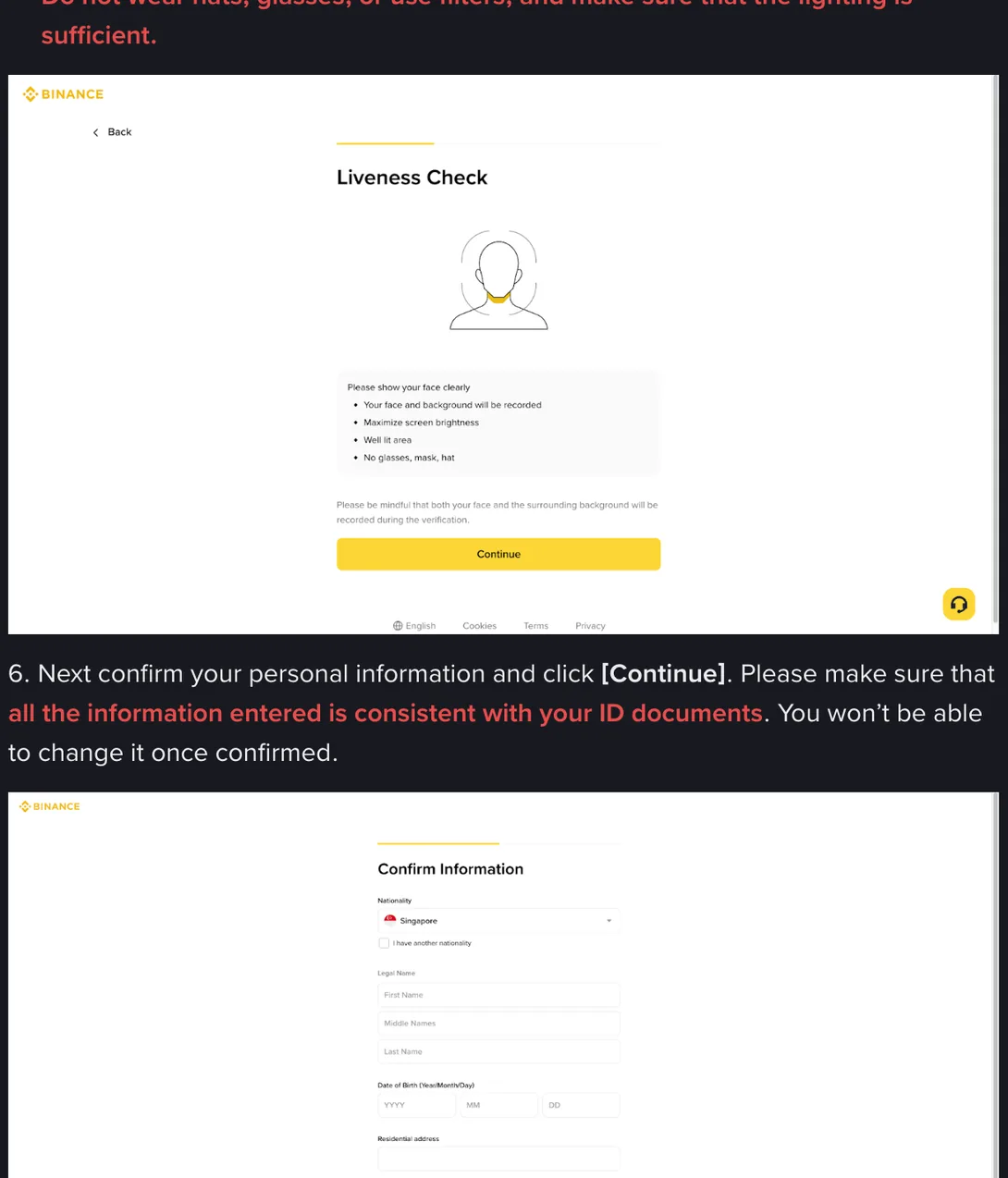
The recording screen carries more detail than the red note does. It opens with Please show your face clearly and then lists four things.
| On screen | What it is actually asking for |
|---|---|
| Your face and background will be recorded | The room behind you is part of the file, not just your face |
| Maximize screen brightness | At night the screen is the only lamp you have; phones dim it to save battery |
| Well lit area | Even light, from the front. Bright is not the same as usable |
| No glasses, mask, hat | Nothing across the eye region, which is the part that matters most |
Under those four there is one more sentence, worth reading twice: please be mindful that both your face and the surrounding background will be recorded during the verification. That is not a warning to be frightened of. The background is part of the evidence, since a screen playing behind you or light on your face that disagrees with the light in the room is exactly the sort of thing the check looks for. What it means in practice is: sit in front of a plain wall, and move anything you would rather not have on file out of shot before you start.
Maximise screen brightness is the instruction not to skip. On an evening in a room with one ceiling light, your phone screen is doing the lighting work, and battery saver may have quietly turned it down.
Glasses come off before the step starts, even if that means squinting at the prompts. Lenses turn into two white rectangles over the eyes under almost any indoor light. Contact lenses are fine; coloured cosmetic ones are worth taking out, since they change the iris pattern.
Why the right person fails
Backlight. You sit with a window or a lamp behind you, the camera meters for the bright area, and your face becomes a silhouette. Detail in shadow is the first thing an auto-exposure gives up, so the recording ends up with a face-shaped hole where the features should be. Turn around. Let the light come from in front of you: face the window in daylight, face a lamp at night.
Overhead light on its own. A single bulb straight above leaves the eye sockets and the area under the nose in deep shadow, which can read as something covering the face. Soft light from in front and slightly to one side is what you want, and a window is the easiest version of it to find.
Movement. Turn your head slowly, hold the position for a beat, wait for the next prompt. Fast movement blurs every frame; movement that is too wide takes your face out of the frame entirely. Both count as nothing captured.
Things across the face. Hats, sunglasses pushed up on the forehead, a scarf pulled over the chin, headphone bands, and a fringe long enough to sit on the eyebrows. Hair is easy to forget. Pin it back first.
On head coverings, plainly: the screen asks for no glasses, mask or hat, and a scarf worn with the whole face visible is not a mask. This site will not tell you how a specific checker treats yours, because that is not verifiable from any public page. If the step fails repeatedly with it on, and you can do the recording privately without it, that is worth one attempt. Take that attempt in daylight and then stop, rather than running the step another five times to test the theory.
The room, and everyone in it. A second face in frame is a case that needs explaining, and the cheapest way to handle a case that needs explaining is to fail it. That includes faces that are not people: a poster, a framed photo on the wall behind you, a television that is switched on. Ask whoever is in the room to step out, or turn to face a bare wall.
Connection and shake. On a weak mobile connection the video arrives in pieces, and continuity of movement is precisely what is being examined. Holding the phone in your hand adds a fine blur to every frame that you will never notice on playback. Both have the same answer: get on the steadier connection, then prop the phone against a stack of books and lean in, so your face finds the lens instead of the lens chasing your hand.
Phones, browsers and the camera that never turns on
Do this step on a phone rather than a laptop if you can, for one reason: a laptop camera is built into the top edge of the screen, which puts it below your eye line when you are sitting, so it records you from underneath. Chin enlarged, forehead compressed, an angle nothing like the flat frontal photo on your document. A phone can be raised to eye height without any effort.
The second reason arrives at night. Front cameras on mid-range phones have been improved hard over the last decade; the sensor above a laptop screen usually has not. In a bright room the difference is invisible, and in a dim one it decides the outcome.
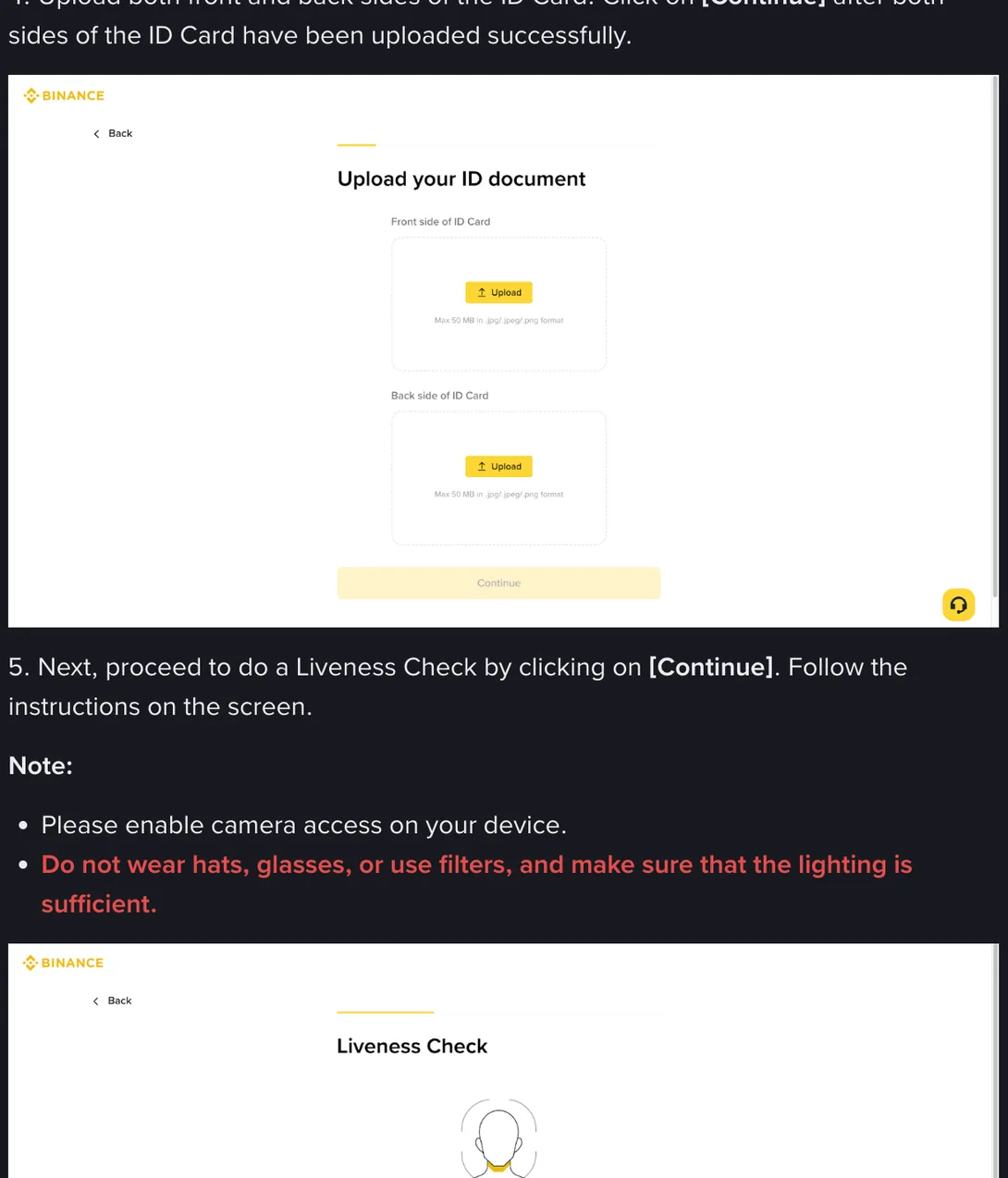
Which brings up the failure that is not a failure at all. If the camera never activates, or the page sits there with a black rectangle, this is a permissions problem. The help page says to enable camera access on your device, and there are three causes to check.
An in-app browser is the first. If you opened the link from a message, an email client or a social app, it may be running in that app’s own webview, a stripped-down browser that sometimes never asks for the camera and sometimes has no permission to give. Copy the address, paste it into Chrome or Safari, and start over.
Second, a permission you denied months ago on some other site and forgot about, which the browser now remembers per site. Open the site settings from the padlock in the address bar and set the camera back to ask or allow.
Third, an operating system that is too old to be offered the camera by a modern browser at all. On an Android phone that has not seen an update in years, the shortest route is usually to borrow a newer handset for the five minutes this takes.
Bandwidth deserves its own sentence. The recording is uploaded while you make it. If your connection is sharing a tower with an entire neighbourhood in the evening, do this step in the morning instead. If there is a fixed line anywhere within reach, use it.
Change one condition, then try again
By the fifth attempt you are handing over the same room, the same lamp and the same glasses, and getting the same answer, which is what should happen. Change exactly one thing between attempts. Then a failure tells you something and a pass tells you what fixed it.
| Order | Change | Why here |
|---|---|---|
| 1 | The light. Turn to face the window or a lamp, kill the light behind you | Binance names light in its own instruction, and this costs ten seconds |
| 2 | Your face. Glasses off, hat off, hair pinned back, camera beautify filters off | These are the four the screen names |
| 3 | Screen brightness to maximum, battery saver off | Changes the exposure, especially at night |
| 4 | The browser. Out of the in-app view, into Chrome or Safari | Fixes the cases where the camera never started |
| 5 | The room. Plain wall, nobody else in frame, television off | Requires moving, but you can try again straight away |
| 6 | The device, and then the hour. A newer phone; daylight rather than lamplight | The last cards, and the ones that need someone else or a night’s wait |
Do not hold a photo or a video of yourself up to the camera, and do not ask a relative who looks like you to do the step instead. Those two are the specific things this check exists to catch, and once a case has been marked, everything after it gets harder rather than easier.
After the third failure
Three attempts with three different conditions changed and the same result means the problem has probably stopped being the camera. Two things are worth considering at that point. The document photograph you uploaded earlier may be the weak side of the comparison, in which case no amount of good lighting on your face helps, and it is worth reshooting the ID before touching the camera again. Or the rejection was never about this step at all, and the message you read was simply the vaguest of several possible ones, in which case working down the twelve rejection causes in order will get you there faster than another recording.
The thing not to do is spend an evening on attempts eight, nine and ten in the same chair. Come back in the morning, sit facing a window, phone propped up, glasses off, and give it one clean attempt in daylight.