If you are in India, Pakistan, Australia, South Africa or Kenya: yes, you can open a Binance account today, and the sign-up itself is one field long. If you are in the United Kingdom, the Philippines, Nigeria, Bangladesh, the EEA, Singapore or Malaysia: no. If you are in the United States or Canada, the answer is more particular than either.
Which is the real question behind “how to register on Binance” in 2026. The buttons have not changed much in years. What has changed, country by country, is whether the door opens for you at all, and no amount of following a screenshot tutorial gets you past a door that is shut.
| Where you are | Can you open an account now |
|---|---|
| India | Yes |
| Pakistan | Yes |
| Australia | Yes |
| South Africa | Yes |
| Kenya | Yes |
| United Kingdom | No. Binance stopped taking new UK users on 2023-10-16 |
| Philippines | No. Blocked since 2024-03 |
| Nigeria | No. Naira services ended 2024-03 and the site is blocked by ISPs |
| Bangladesh | No. Crypto trading is prohibited |
| EEA | No. Service ended 2026-07-01 |
| United States | Not this Binance. Binance.US is a separate company with its own sign-up |
| Canada | No. Binance left the Canadian market in 2023 |
| Singapore, Malaysia | No. Blocked |
Every row was checked against Binance’s own pages and regulators’ notices on 2026-09-05. Rows like these go stale faster than anything else on this site, so treat the date as part of the fact: if you are reading this much later, look up your own country before you act on the table. One more thing to keep separate: the address-document validity table that Binance publishes, and that other sheets here reproduce, still lists entities such as Binance Japan or France. A row in that table is a document rule, not a statement that the region accepts new sign-ups today.
Countries where the answer is no, and what that means
A closed country is closed at the identity check, not at the sign-up form. That distinction causes a lot of wasted evenings. You can often reach the registration screen from anywhere, type an email address, receive a code and end up with something that looks like an account. The wall arrives later, when you pick your country of residence during verification and the flow stops, or when the deposit methods you expected are simply not there.
So people conclude that the block is a technical nuisance and go looking for a way around it. That instinct is worth resisting for one plain reason: the workaround always ends with you uploading your passport and a utility bill to a platform that has already stated it cannot take you on. If it later matches your documents to a restricted country, the account is frozen with your money inside it, and you have no standing to argue.
The two American rows deserve a sentence each. In the United States, binance.com is not the service you sign up to; Binance.US is a separate company with separate accounts and its own state-by-state coverage. In Canada, Binance announced its exit in 2023, which is a withdrawal rather than a block, but the practical answer for a new user is the same.
And if you already hold an account and are moving, that is a different problem with different mechanics, covered in moving country with a Binance account.
Nobody asks your age on the way in
Binance’s Terms of Use only allow adults, meaning 18 and over, to hold an account. The sign-up screen never asks your age. It comes out at verification, when a date of birth is read off the document you upload and compared with the one you typed.
The practical version: a seventeen-year-old can register and can spend a week setting up two-factor authentication and reading about fees, and will then hit a wall that no reshot photograph fixes. There is no partial credit for the effort. If you are close to eighteen, the sensible order is to wait, then register in your own name with your own documents, rather than to open something now under a relative’s details and inherit an account you cannot legally control.
The first screen has four things on it
Most tutorials make this screen sound busier than it is.
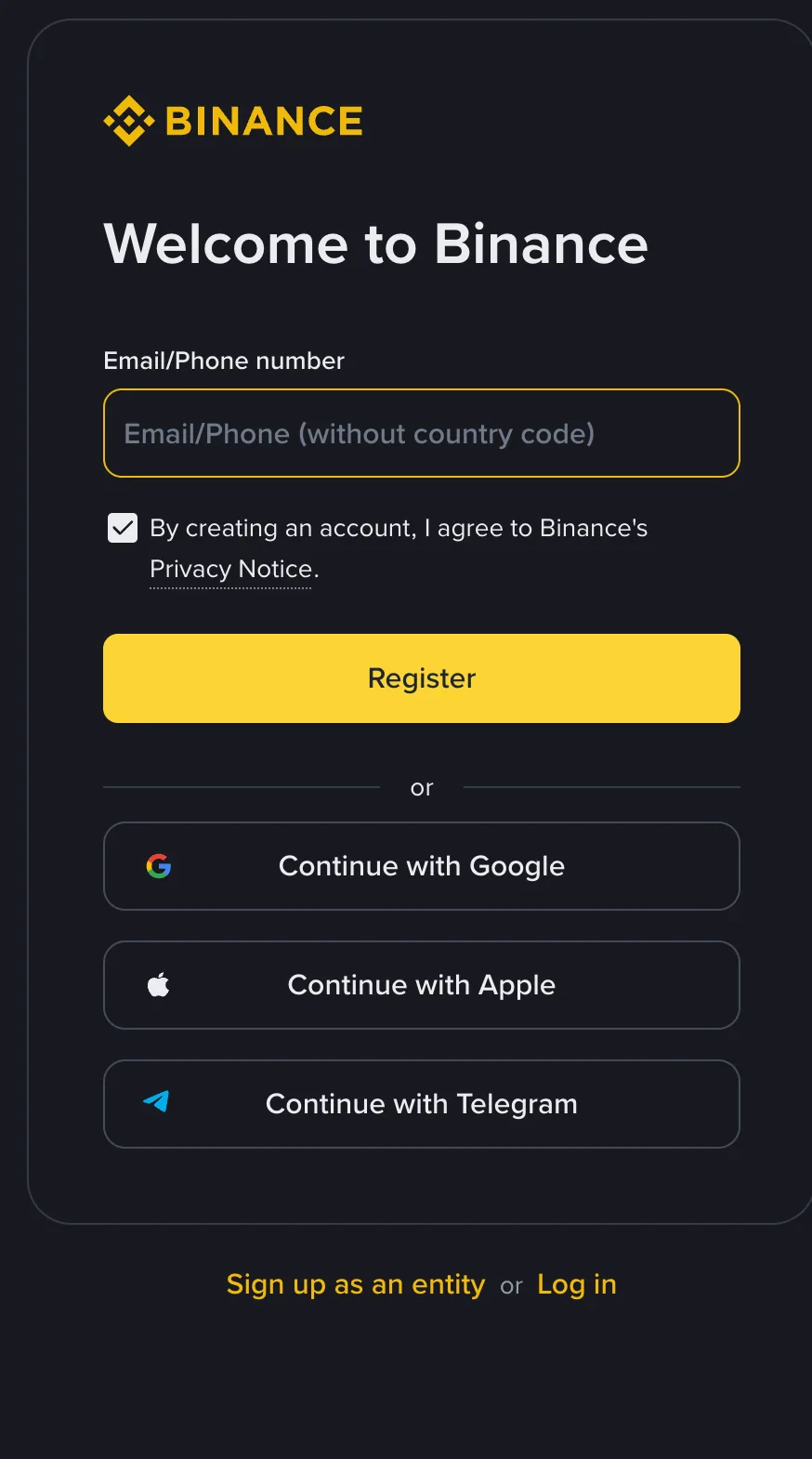
Under the line welcoming you to Binance there is a single input box, labelled for an email address or a phone number without the country code. Below it sits a checkbox saying that by creating an account you agree to Binance’s Privacy Notice, then the yellow Register button. Under that, three alternatives: continue with Google, with Apple, or with Telegram. The last line of the card offers to sign you up as an entity, or to log in if you already have an account.
That is the lot. No country selector, no name, no password, and no referral code field.
Two details on that one input box are worth slowing down for. It takes either an email or a phone number, and whichever you type is where the verification code goes, so use the one you actually check. And if you use a phone number, the field wants the number without the international dialling code, which catches out people who habitually type +91 or +27 in front of it.
The two links at the bottom of the card sit close together and close to the button. Signing up as an entity is the route for a company, not for you; logging in is for people who already have an account and forgot. Neither does any damage, they just cost you a lap.
Before you press Register, two things are worth having said out loud. Crypto prices swing hard, and money you put in here can come back as nothing at all; owning an account changes none of that. The second is that the table near the top of this page, not the buttons, is the part that decides anything for you, and it is a snapshot of a list that regulators and Binance both keep editing. Which makes this a description of a process rather than legal or financial counsel.
So where does the referral code go?
Not on that screen. You have the picture above, so you can see it for yourself.
Whether a Referral ID field appears at some later point in the flow, or can be added after the account exists, I could not confirm on Binance’s pages when I checked in September 2026, and this site would rather say that than repeat what other guides assume. The way to make the question irrelevant is to stop treating the code as something you type. Open the sign-up page from a link that already carries it, and there is nothing to key in and nothing to mistype.
Ours, if you want it, is the Binance sign-up page carrying our referral code. The code is BNB6606, it carries no fee discount, and it costs you nothing extra: your fees are whatever Binance is charging at the time. It is simply how Binance knows you came from here. In a number of places, UK retail, Nigeria, and Binance FZE in the UAE among them, Binance pays us nothing for a sign-up at all (its referral programme terms list the excluded regions), and that changes nothing whatsoever at your end.
Why do so many guides get this screen wrong? Mostly a time lag. They were written when the page looked different, the page was rebuilt, the article stayed where it was, and the next writer copied it without opening anything. Which is the argument for a habit worth keeping: before you follow any step-by-step guide, look for the month it says it saw the interface. If it does not say, you have no way of knowing what it is describing.
The code, the password, and the ten seconds after that
After the first screen there is not much suspense. A verification code arrives, you type it in, you set a password.
If the code went to email, look in spam before you decide it never came. If it went to a phone, this is a bad moment to switch SIMs or step into a lift. You will skip both of those sentences now and come back to them later.
Make the password unlike any password you use elsewhere. This is worn advice that keeps being right, because credential stuffing is still cheap: nobody attacks the exchange, they attack a forum you signed up to in 2019 and try that pair here.
Then turn on two-factor authentication straight away, while you are still sitting there. An authenticator app does not depend on your mobile operator, which is the argument for choosing it over SMS. When it shows you the backup codes, write them on paper before you click past that screen, because that screen appears exactly once and a lost phone takes the app with it. Paper survives a lost phone; a note in the same phone does not.
Identity verification: the step worth getting right first time
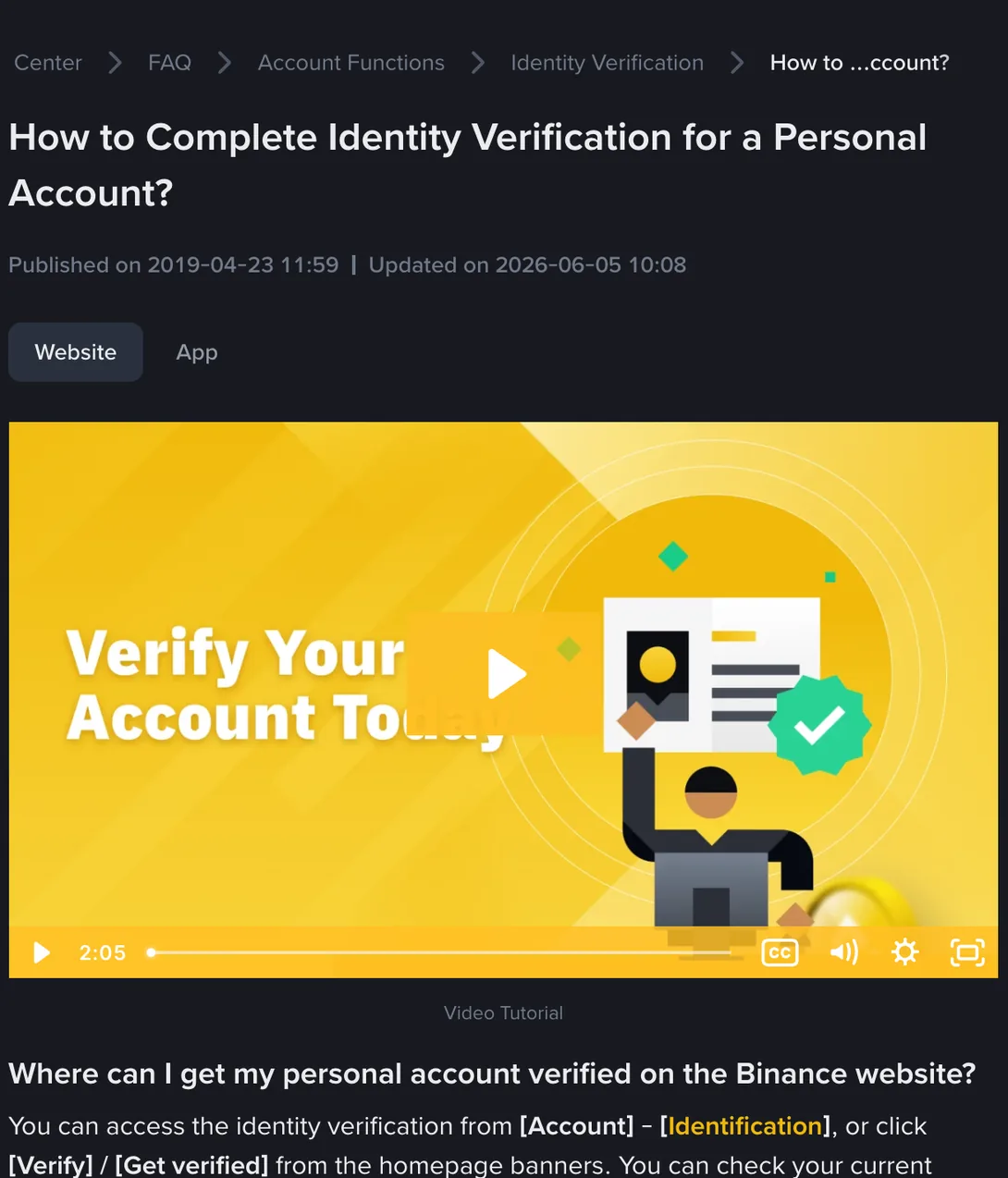
An account by itself does very little. To deposit, trade or withdraw you have to pass identity verification, which is a separate run of screens: residence and issuing country, document type, front and back of the document, a liveness check, then a confirmation page.
Here is the step that gets done twice more than any other. People finish registering late at night, feel the momentum, and start verification there and then, with the document in another room, the address proof not downloaded, and a lamp behind them. Forty minutes later the case comes back and everything after the first screen has to be repeated. The run is continuous; stopping in the middle to find something usually means starting it again.
So the useful move at this point is to stop, and to open verification the next time you have the document in your hand and the light on your side. What each of those screens actually checks, and the point at which each one tends to fail, is the next sheet along.