Written for people about to turn 18, and for parents who want to understand the rules before their child asks.
The age limit sits in clause 2.1 of the Terms of Use
Section 2 of Binance’s Terms of Use is headed Eligibility. Clause 2.1 sets out the eligibility criteria. It opens by saying that to be eligible to register a Binance account and use Binance services, you must meet the conditions that follow, lettered (a) to (f). Age is item (b):
if you are an individual, be at least 18 years old and be legally allowed in your jurisdiction to enter into binding contracts;
That one sentence covers two things at once: registering an account, and using the services. Under 18, you are eligible for neither, and as far as the clause is concerned, one day short is the same as three years short. The Representations and Warranties section later in the terms says it again, this time as a promise the user makes to Binance: “If you are an individual, you are at least 18 years old (or the age of majority in your jurisdiction of residence, whichever is greater)”. The moment you agree and register, your age becomes something you have vouched for.
The English terms page carries an effective date of 21 July 2026, and it was still that version when opened in September 2026. The opening section of the terms adds a line of its own: “where any Local Terms apply to your use of the Binance Services, such Local Terms shall supplement the Agreement and govern your use of the Binance Services.” In regions where a local entity provides the service, check that local agreement for its age requirement too.
Can you sign up a few months before turning 18?
The terms leave no gap for “nearly 18”, and none of the conditions in clause 2.1 carries an exception along the lines of “with a parent’s consent”. Registering now and verifying once you turn 18 doesn’t work either: the eligibility criteria cover the step of registering a Binance account in the first place.
On features alone, an unverified account can’t do much anyway. The help page How to Complete Identity Verification for a Personal Account says:
All new users are required to complete [Verified] to access Binance products and service offerings, including cryptocurrency deposits and trades.
Verification means submitting your own ID document. The screen where you confirm your personal details asks you to “make sure that all the information entered is consistent with your ID documents”, and the same step warns: “You won’t be able to change it once confirmed.” Clause 7.5.2 of the Terms of Use asks the same of the information you provide for verification: it must be “complete, accurate, truthful and up to date in all respects”. On age, what settles it in the end is the date of birth printed on your document.
If you are a few months short, wait for the day, and use the time to get together what you will need then.
An account opened on a parent’s ID belongs to the parent
Whoever’s document passed verification owns the account details: the name, the date of birth and the ID number are all the parent’s. On Binance’s side, it is the parent’s account. A child using it to buy and sell collides with the terms in several places.
| Source | What it says | Where a borrowed-ID account conflicts |
|---|---|---|
| Terms of Use, clause 2.1(b) | Individuals must be at least 18 | The person actually using the account isn’t 18 |
| Terms of Use, clause 7.5.2 | Information provided for identity verification must be complete, accurate and truthful | The details are the parent’s; the person using it is the child |
| Terms of Use, clause 14.3.1 | An account registered in your name must not be used by anyone other than you | An account in the parent’s name is in the child’s hands |
| Terms of Use, clause 25.1(b) | Binance may terminate, suspend or restrict when it reasonably suspects that “the person logged into your Binance Account is not you”, or that “more than one natural person has access to and/or transacts using the same Binance Account” | The child is the one logging in; if the parent logs in as well, that is two people sharing one account |
| How to Complete Identity Verification for a Personal Account | You can’t use someone else’s ID document in place of your own | Verification was done with the parent’s document |
Clause 25.1 gives Binance wide powers to act. It can “terminate, suspend, close, hold or restrict your access to any or all of your Binance Account(s)”, “in each case with immediate effect and for any reason”. The suspicions listed in item (b) are only examples, and nothing has to be established as fraud first. Item (a) of the same clause, “you are not, or are no longer, eligible to use one or more Binance Services”, is a ground in its own right.
A parent logging in first and then handing the phone to the child doesn’t get round these clauses either. Clause 14.3.1 requires an account registered in your name to be used only by you, and clause 21.2, on security measures, lists “never allowing remote access or sharing your computer and/or computer screen with someone else when you are logged on to your Binance Account”.
Turning 18 doesn’t move the account into the child’s name
Most families who borrow an ID see it as a stopgap: use it for now, then put the account in the child’s name once they turn 18. The verification help page, under the question “How to update/reset my identity verification information?”, carries this note:
Please note: You cannot transfer your account to another person or substitute another person’s ID for your ID.
The situations the same answer lists as ones you can update are an expired document, a change to the name or ID number on the document, a change of nationality, a new document needed for a particular fiat channel or for Binance Card, and changing your name into a language the system can recognise. Every one of them is a change to the same person’s documents. “Switching to another person” isn’t on the list. Clause 40.5 of the Terms of Use also states that, without Binance’s prior written consent, users may not assign or transfer any of their rights or obligations under the terms.
Half the fallout lands on the parent. The same help page answers the question “Can I have 2 personal accounts verified?” like this:
If you already have a verified personal account, you can either create a separate entity account, or use our sub-account feature, which allows you to create up to 5 sub-accounts under your personal account.
There is no second personal account. Sub-accounts don’t offer a way round either: clause 7.10.3 of the Terms of Use allows only one natural person or corporate entity to be associated with each sub-account, and doesn’t allow several people to share access to one. This account carries the parent’s verified identity from start to finish. It is the parent’s one and only personal account, and if it gets restricted under clause 25.1, the parent is the one affected.
Once the child turns 18, what they should do is register an account of their own with their own ID.
For ages 6 to 17 there is Binance Junior
For families who want a child to start learning about this early, Binance has a separate route: Binance Junior. The Binance Junior FAQ says who it is for:
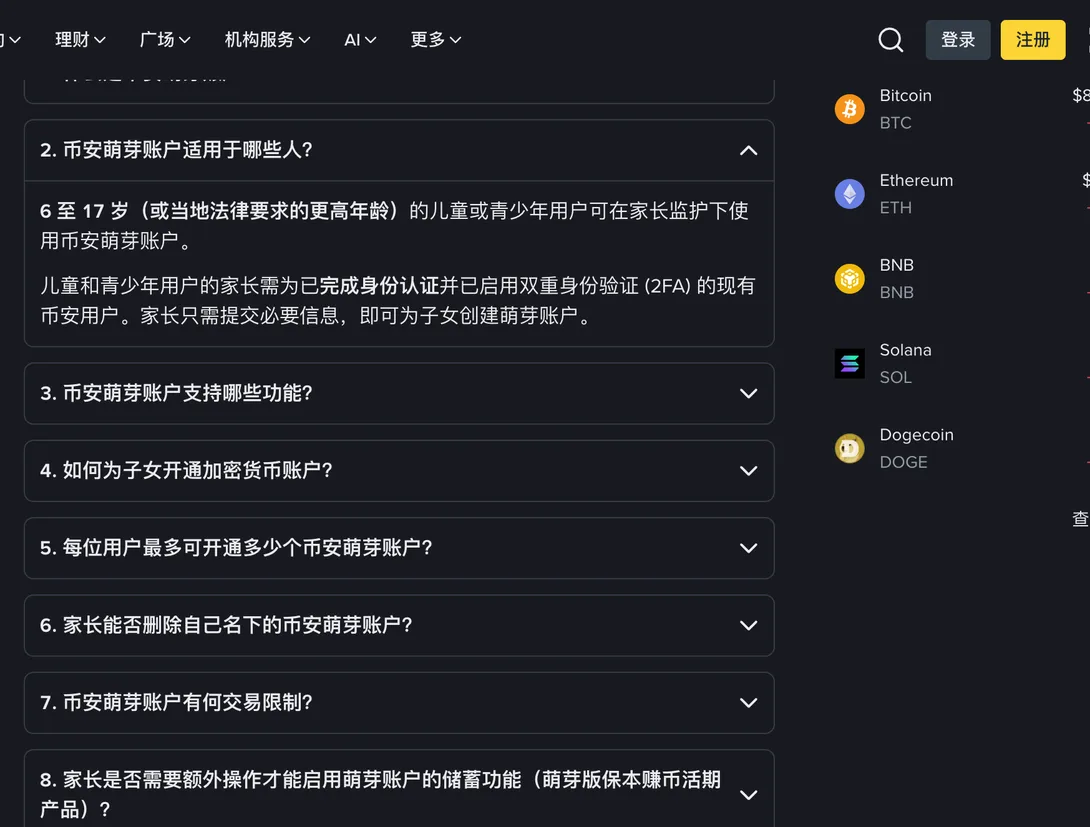
Young users between the ages of 6 to 17 (or higher depending on local laws) can use a Binance Junior account with parental supervision.
What sets it apart from a borrowed ID is that ownership is spelled out. A Junior account “is opened as a sub-account of a parent’s master account. The child’s name will be added to identify the sub-account but the parent remains the legal owner of the Binance Junior account.” The parent owns it, and the child appears on the account under their own name. That arrangement is written into the rules.
A Junior account can’t trade. A 17-year-old who wants to buy and sell for themselves won’t get that here. What it gives is an account held in the parent’s name, with a balance the parent can take back at any time; the child can keep funds in it and make transfers within limits. Merchant payments and receiving transfers from other users are both off by default, and only the parent can switch them on from their side. Merchant categories such as gambling are restricted, so payments to them won’t go through even with payments switched on.
| Item | Junior account rules |
|---|---|
| What the parent needs | An existing Binance user who has completed identity verification and enabled two-factor authentication (2FA) |
| How many | Up to 5 per main account |
| How money gets in | Direct transfer from the parent’s main account, or an on-chain deposit |
| Automatic savings | On creation, automatically subscribed to Junior Flexible Simple Earn (only where that feature is supported in the country or region) |
| Transfers | From age 13 (or a higher age where local law requires), transfers to and from other Junior accounts or the parent’s main account, within a daily limit |
| Sending limit | US$400 a day to other Junior accounts and to merchants (once the parent has enabled it) |
| Not supported | Trading, on-chain withdrawals, payments to adult users other than the parent |
| What the parent can do | Deactivate and delete it at any time; move funds from the Junior account back to the main account |
The age threshold for transfers differs from place to place. The FAQ says it follows the local digital age of consent, and its examples include 14 and over in South Korea, 15 and over in France and 16 and over in Germany. Straight after comes this line: “This list is indicative age thresholds provided for illustrative purposes only and are not a guarantee that the product is, or will be, available to users in any of the listed regions.”
The parent sets up Junior, and not every region has it
A Junior account sits under the parent’s main account and can only be started from the parent’s side, so a child can’t register one on their own. The parent has to be a Binance user who has already completed identity verification and turned on 2FA. The setup steps are in the Binance Junior FAQ.
Nor can it be opened in every region. On that, the FAQ gives just one sentence: “The availability of Binance Junior is subject to local legal and regulatory requirements.” If the entry point isn’t in the parent’s app, you can take it that the service isn’t available in that region yet. Don’t go looking online for an installer of unknown origin.
Wait until your ID says 18, then start
Once the date of birth on your ID puts you at 18, register from scratch with your own document and the whole thing is clean. In the meantime, settle which document you will use. Passports and ID cards can write your name differently, so read Passport, ID Card or Driving Licence for KYC? before you choose.